Compress, scan, and prepare PDFs from your Android phone.
Fix the PDF before you send it. Choose 300 KB, 500 KB, 1 MB, 2 MB, 4 MB, or 12 MB. Scan documents, create PDFs from photos, use OCR, prepare PDF/A-2b, sign, add photos, fix pages, and review the result before clean export.
PDF contents stay on your Android device and are not uploaded to any server.
Compress to exact sizeScan documentsCreate PDFs from photosOCR scanned PDFsPDF/A-2b when neededFix pagesMerge and splitSign and add photosReview before clean exportPay per clean exportNo monthly subscriptionAndroid app
What you can do
Prepare the document before you send it
Compress to exact limits. Scan paper documents. Import a PDF you already have. Create PDFs from photos. Make scanned PDFs searchable with OCR. Prepare PDF/A-2b when a workflow needs it. Reorder, rotate, delete, merge, split, sign, add photos, review the result, and export a clean copy.
PDF Ready helps you prepare useful PDFs from your Android phone. Compress to an exact size, create PDFs from photos, scan documents, add OCR, prepare PDF/A-2b when needed, fix pages, merge or split, add a visible signature or image, review the result, and export a clean copy ready to share or upload.
Best quality for the size you need
Readable files at strict sizes
Choose the limit first: 300 KB, 500 KB, 1 MB, 2 MB, 4 MB, or 12 MB. PDF Ready is built to push toward the best possible readability for the required size, so you can solve strict uploads without blindly crushing the file.
Use it when your PDF is too large to upload, when a passport PDF needs to be smaller, when a visa or application file needs a clean target size, or when compression from a random web tool makes the document unreadable.
Your phone is already powerful enough for normal document prep. For passports, certificates, visas, payslips, medical records, forms, and application uploads, local processing is not a compromise. It is an advantage.
Processing the file on your phone means your documents do not have to pass through a random website just to be compressed, OCR'd, cleaned up, or made ready to send.
For very large PDFs or long OCR jobs, processing can take longer precisely because the work happens locally.
Available on Android
PDF Ready is available on Google Play for Android.
Use the public Google Play listing to install PDF Ready on a compatible Android device. iPhone and iPad support may be added later, but there is no public iOS release today.
Fill it in with the original app when you can. If needed, complete it by hand, scan it with PDF Ready, then compress, clean up, and export a clean copy to send.
Review before clean export
Do the work first. Then decide.
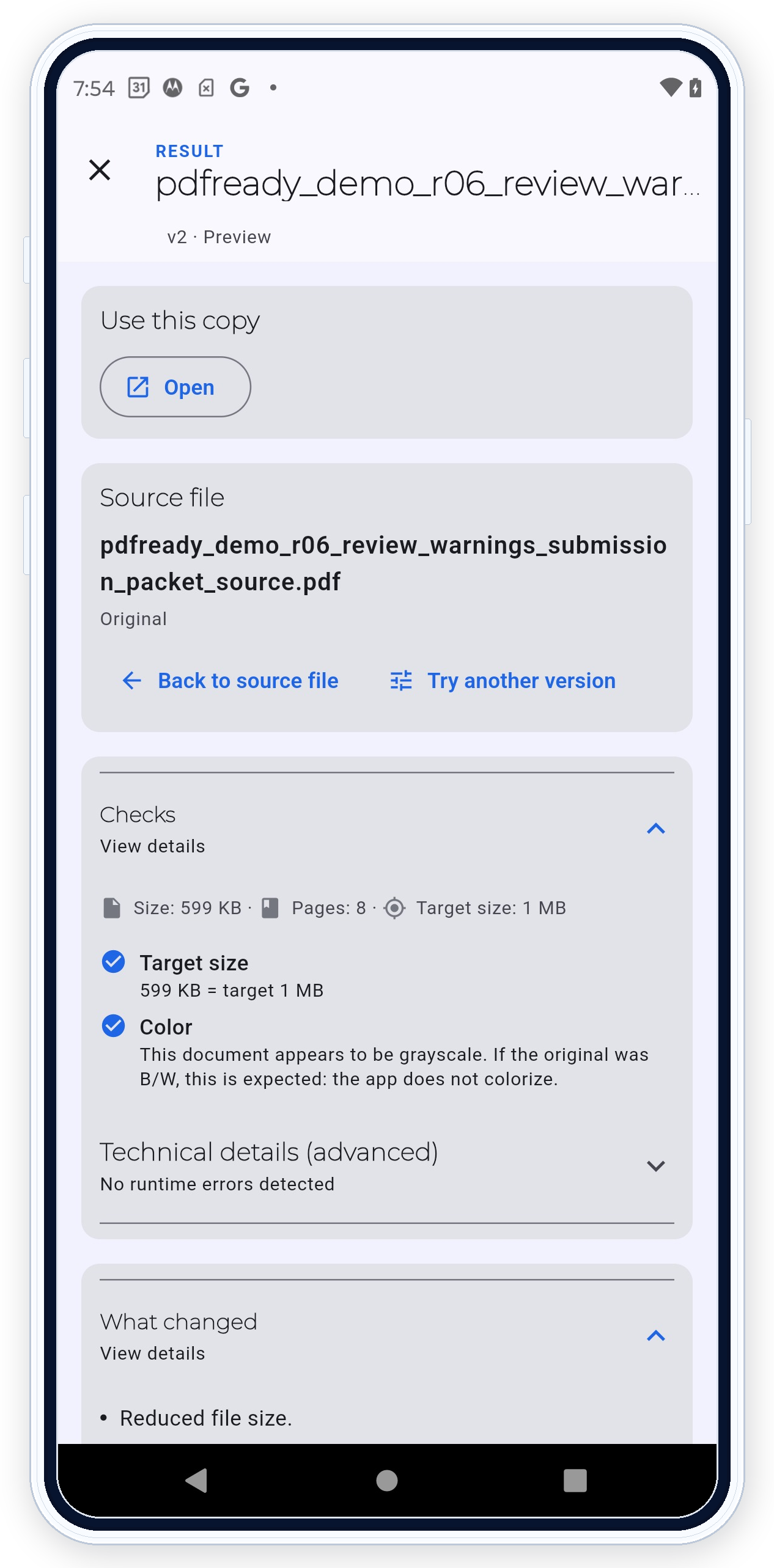
Review size, readability, warnings, page order, rotation, OCR, and compatibility before you export the final clean copy.
That means you can prepare and inspect the result before paying for the clean export you actually want to save, share, or submit.
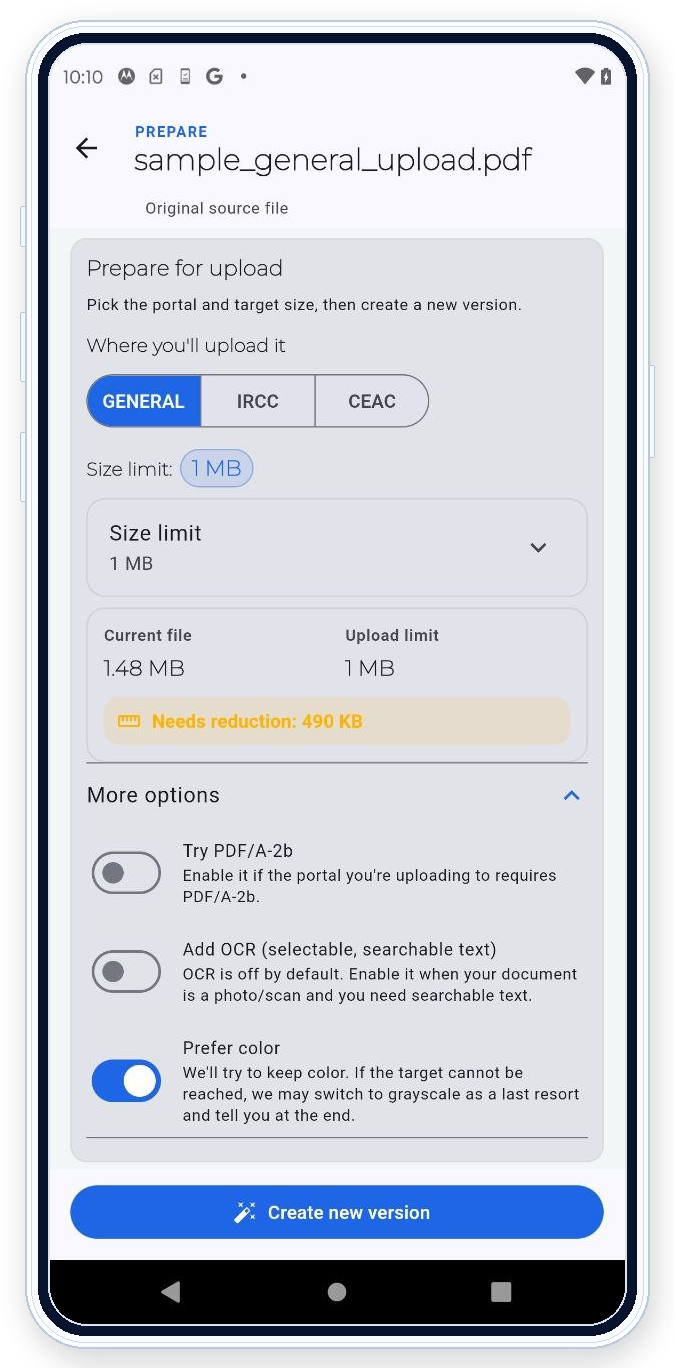
Use GENERAL when you know the exact size. Use IRCC or CEAC only when that workflow matches the document you are preparing.
Real product views
What the mobile workflow looks like
Current screenshots shown on Android.
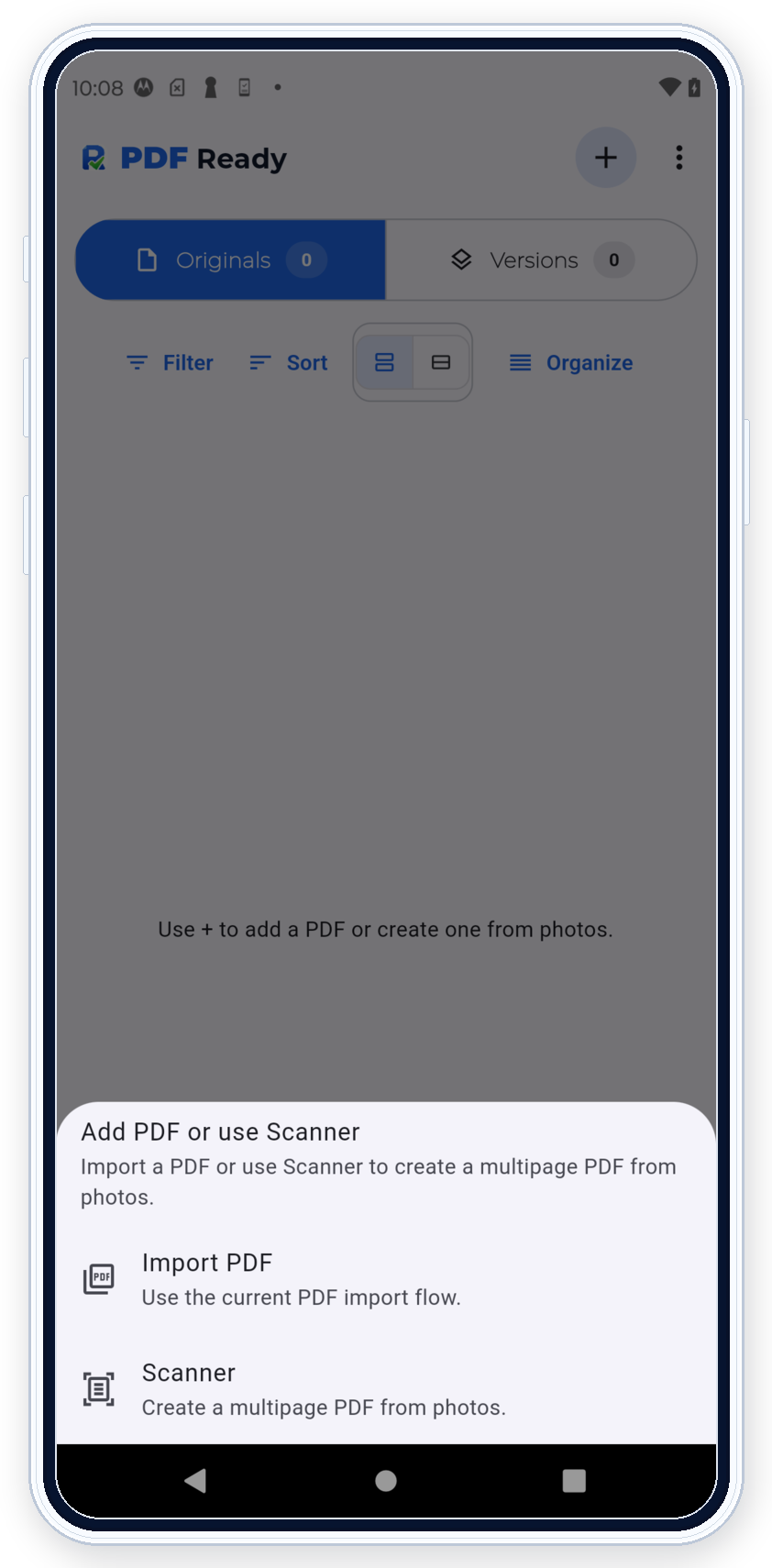
Scan or import to start.Choose the exact size you need.Review quality before export.
FAQ
Common questions
How do I compress a PDF to 2 MB on Android?
Import or scan the document, choose the 2 MB target, review readability, then export the clean copy when it is ready.
How do I compress a PDF to 300 KB without ruining readability?
Choose 300 KB first and review the prepared result before clean export. If readability is not good enough, use a larger target when your upload path allows it.
Can I compress a PDF without uploading it to a website?
Yes. PDF contents stay on your Android device and are not uploaded to any server.
Can I OCR a scanned PDF on my phone?
Yes. Use OCR when scanned text needs to be searchable. OCR-heavy jobs can take longer because the work happens locally.
Can I create a PDF from photos?
Yes. Start from photos, review the pages, then prepare the PDF for the size or clean export you need.
Can I sign a PDF and add a photo?
Yes. Add a visible handwritten signature or image when that is the right visual detail for the document.
Can I reorder, rotate, or delete pages?
Yes. Use page cleanup before export so the final copy has the right page order and orientation.
Can I prepare PDF/A-2b on Android?
Yes, when that workflow requires it. Do not enable PDF/A-2b unless the destination asks for it.
Can I use PDF Ready for forms?
PDF Ready does not replace a specialist PDF suite for complex dynamic form editing. It helps you prepare, clean up, scan, compress, and export a practical copy to send.
Do I need a subscription?
No. You can scan/import, prepare, and review before paying. The paid step is the final clean export for that document through Google Play.
Small notes
Built for normal mobile documents
PDF Ready is built for normal mobile documents, not huge hundreds-of-pages production jobs. Because processing happens on your phone, very large files or OCR-heavy jobs can take longer. For advanced text editing, complex dynamic forms, or certified digital signatures, use a specialist suite. PDF Ready prepares the document, but the destination system always makes the final acceptance decision.
PDF Ready is independent and not affiliated with any government agency or upload portal.