
PDF Ready

GENERAL

Compress PDFs to exact sizes on Android

GENERAL is the default route for exact-size PDF prep. Choose 300 KB, 500 KB, 1 MB, 2 MB, 4 MB, or 12 MB, review readability, and export a clean copy from Android.

300 KB 500 KB 1 MB 2 MB 4 MB 12 MB
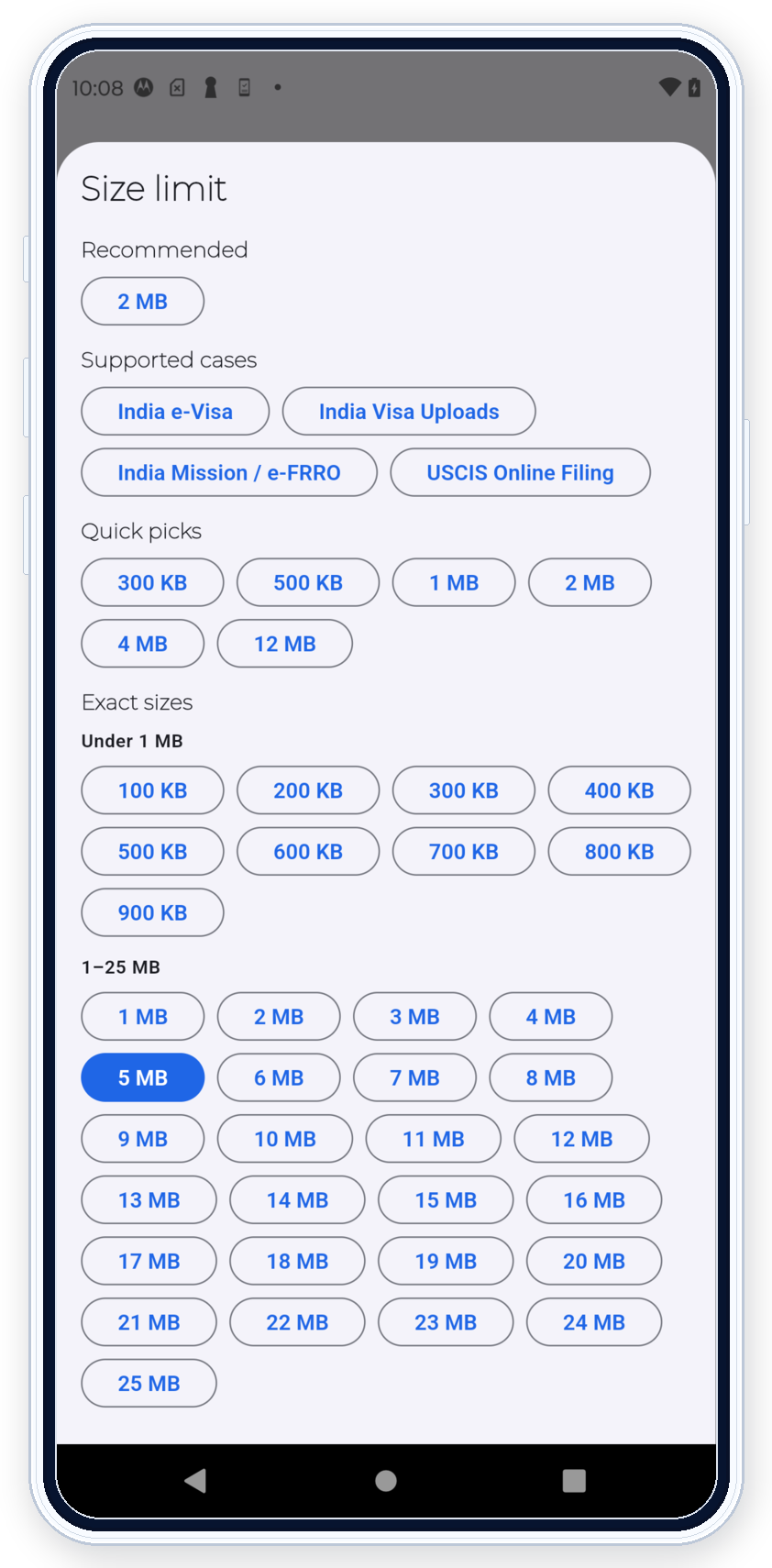
PDF Ready exact-size selector showing quick picks and the full Exact sizes list without cropped labels
Use the exact size that matches the upload.

Exact sizes

Use the exact size that matches the upload

GENERAL fits uploads where the main problem is the exact file-size target.

  • Use 300 KB, 500 KB, or 1 MB when the destination has a tighter cap.
  • Use 2 MB or 4 MB when the upload remains strict but readability still matters.
  • Use 12 MB when the real path allows more room and the job is still exact-size first.

Prepare in GENERAL

Start from the limit, then use options only when needed

GENERAL is the right route when the size limit is the part you already know and no portal-specific rule is leading yet.

  • Prepare starts from the limit and the size estimate.
  • OCR or PDF/A stay secondary and only help when the document really needs them.
  • GENERAL is the right route when the upload is defined by the size limit, not by a portal-specific rule.
PDF Ready GENERAL screen focused on the portal tabs, active 2 MB target, and size estimate before opening more options
Start from the route, the size target, and the estimate before you open more options.
PDF Ready preview screen showing a prepared result within the limit before final clean export
Review the prepared result before clean export.

Review result

Prepare first, then review before clean export

GENERAL still follows the same public flow as the rest of the app: keep the source file in Originals, prepare a new result, review it, and only then move to the final clean export.

  • Prepare is not payment.
  • Review the prepared result before you keep it.
  • Final acceptance still depends on the destination.

When to use GENERAL

Use it when the route is still unclear

Choose GENERAL when you only know the upload size limit and the file is not clearly an IRCC or CEAC case.

Examples inside GENERAL

Other portals stay as exact-size jobs

Use GENERAL for other upload paths only when the real requirement is an exact size limit and there is no dedicated PDF Ready profile.

Ready to try it?

Get PDF Ready on Google Play.

Get PDF Ready on Google Play

Disclaimer: PDF Ready is not affiliated with any government authority.

Disclaimer: PDF Ready does not decide final acceptance. Portal rules can still reject a file.